Reproducible social graphics
Post graphics from a spec.
Same input, same pixels.
Social Cards turns a small JSON file into a finished LinkedIn graphic. Pick one of thirteen templates, fill in the fields, export a PNG — and get a file that renders byte-for-byte identical on your laptop, in CI, and six months from now.
- 13
- templates
- 4
- formats
- 8
- palettes
- 0
- external services required
The core idea
Spec in. Pixels out. Nothing in between to drift.
A card is a JSON document: template, format, a shell (brand, headline, footer) and the template's own data. The editor writes it, the CLI reads it, and both photograph the very same HTML document.
{
  "version": 1,
  "template": "status-card",
  "format": "square",
  "shell": {
    "brand": "Your brand",
    "eyebrow": "Monthly review",
    "title": "Nobody will remind you a year has passed.",
    "subline": "Deadlines look after themselves.",
    "theme": "midnight",
    "cta": { "kind": "bar", "text": "The system watches. You work." }
  },
  "data": {
    "panelTitle": "Client file",
    "rows": [
      { "icon": "check", "label": "Core data", "value": "complete", "tone": "ok" },
      { "icon": "check", "label": "Contract", "value": "signed", "tone": "ok" },
      { "icon": "clock", "label": "Periodic review", "value": "in 41 days", "tone": "warn" }
    ]
  }
}
74a7b856da8849a2dfa90bc03881df4d32e64b87b8e8160751210e7738b9e8eb
identical on every run
Why it is built this way
Determinism is a requirement, not decoration.
-
Byte-identical output
Fonts are self-hosted and pinned by sha256 in
fonts.lock.json. Chromium runs with fixed flags, icons are inline SVG instead of emoji, and nothing in the render path callsIntl.bun run checkre-renders every card and fails on a single changed byte. -
WYSIWYG by construction
The editor preview is not a lookalike. It is the exact document the exporter photographs, loaded in an iframe. There is no second implementation to keep in sync, so there is nothing to drift.
-
Specs you can version
Every card is a small JSON file. Keep them in git, review them in pull requests, diff yesterday's headline against today's. Regenerate the whole set with one command.
-
Batch rendering from the CLI
Point the CLI at a folder of specs and get a folder of PNGs. It boots its own dev server, reuses one browser page for the whole run and shuts everything down when it is done.
-
Your brand, not ours
Brand name, logo, accent colour, footer and call-to-action are card fields. Eight palettes ship out of the box — five dark, three light — and any palette colour can be overridden per card.
-
Works offline, syncs when you want
Without a backend the editor runs entirely in the browser. Add a Convex deployment and you get sign-in and a private library of saved cards per user.
How it works
Three steps from idea to file.
-
01
Pick a template
Start from one of eight neutral presets or from a template with sample data already filled in. Choose the format the post needs.
-
02
Fill in the fields
The form is generated from the template's schema, with the same length limits the validator uses. The preview updates as you type.
-
03
Export
Download a PNG straight from the browser, save the spec to your library, or drop the JSON into
cards/and let the CLI render it.
Thirteen templates
One layout for every kind of post.
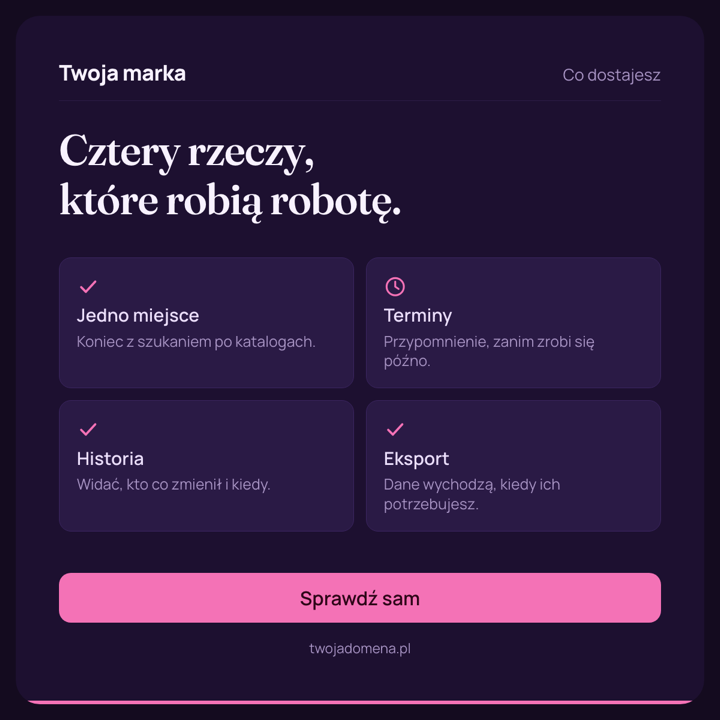
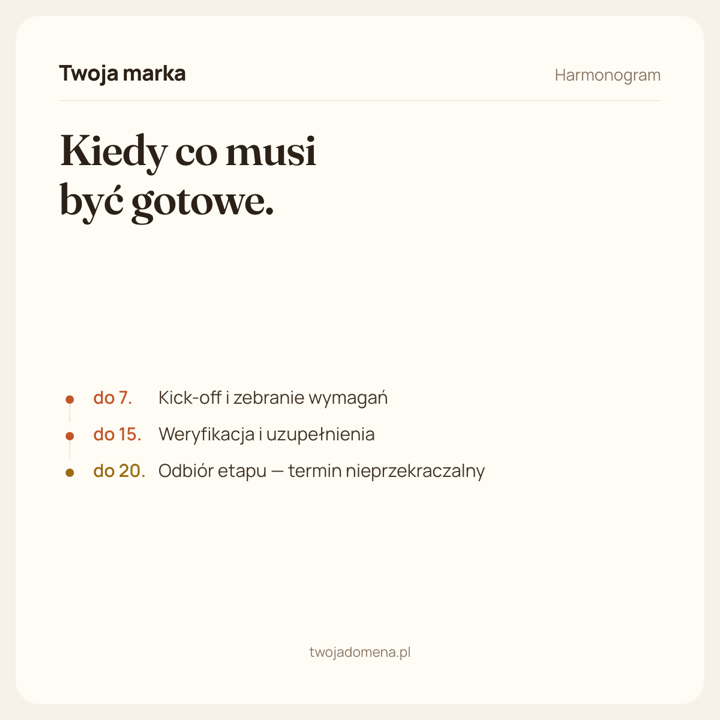
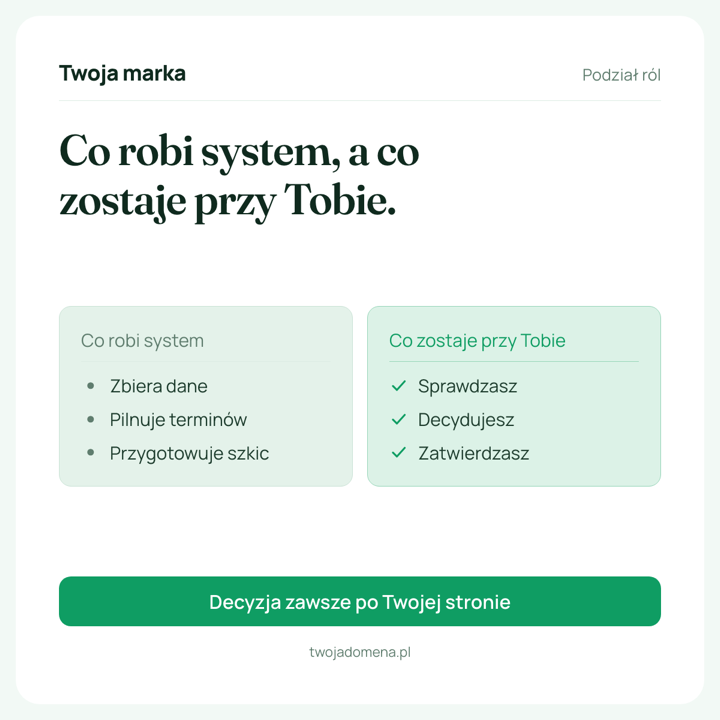
Status card, tool chaos, pills & benefits, bar chart, two columns, conversation, quote, plain text, big stat, steps, cover, timeline and tile grid. Each is a React component with a versioned schema, so a template change never silently reshapes an old card.






Formats and palettes
Sized for the feed, coloured for the brand.
Four formats
- Square 1200 × 1200 LinkedIn feed
- Portrait 1080 × 1350 more room in the feed
- Link banner 1200 × 627 og:image, link previews
- Slide 1600 × 900 decks and presentations
Each format has its own type scale and spacing — a portrait card is designed, not a scaled square.
Eight palettes
- Midnight
- Ink
- Forest
- Plum
- Graphite
- Paper
- Sand
- Mint
Palettes are plain CSS variables with a single source of truth. Override any of them per card, or just the accent.
Command line
Render a folder. Verify a folder.
The CLI is the same renderer the editor uses, driven by Playwright. Put it in a script, a pre-commit hook, or a CI job that fails when a card changes unexpectedly.
$ bun install && bunx playwright install chromium
$ bun run render:all
render  monthly-review  [square]
render  quarterly-stat  [portrait]
render  onboarding      [slide]

$ bun run check
ok  3 cards, 0 differences — output is byte-identical

$ bun cli/render.ts cards/monthly-review.json --format square,link --strict
Make the next post the last one you build by hand.
No account needed. The editor runs in your browser and exports straight to PNG.
Open the editor